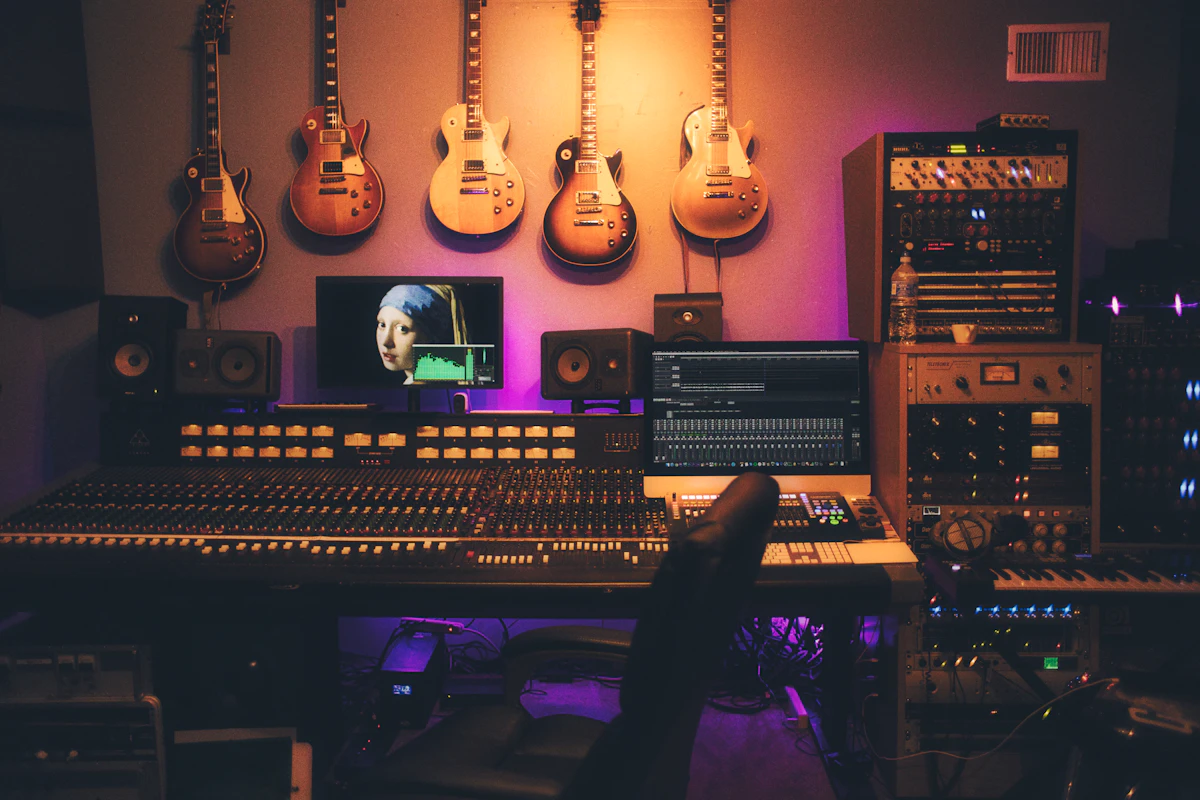
In the fiercely competitive landscape of the creator economy, production value matters more than ever. Audiences routinely judge the quality of a channel within the first five seconds, making your audio clarity, lighting fidelity, and workflow efficiency critical metrics for success. Whether you are launching a new YouTube channel, scaling a Twitch stream, or producing high-end video essays, engineering an ergonomic and professional studio desk setup is your foundational step. This comprehensive guide breaks down the essential hardware—from broadcast-grade microphones to automated control surfaces—required to build an elite creator workstation.
1. Studio-Grade Audio: Capturing Broadcast Quality
Audio quality is consistently ranked by viewers as more important than 4K video resolution. A muddy, reverberant voice ruins immersion instantly, while crisp, warm vocal delivery keeps audiences locked in. The undisputed heavy-hitter in professional creator setups is the Shure SM7B dynamic microphone.
Why the Shure SM7B Remains the Industry Standard
Kratos Multi-Functional Bluetooth Vlogging Kit Review
Upgrade your content creation workflow with the Kratos Multi-Functional Bluetooth Vlogging Kit. Perfect for mobile creators seeking stability and wireless control.
- Multi-functional design that converts easily from a stable tripod to an ergonomic handheld grip.
- Integrated Bluetooth remote shutter for seamless, hands-free video recording and photography.
- Adjustable smartphone clamp compatible with a wide range of modern mobile device widths.
The Shure SM7B is famous for its smooth, flat, wide-range frequency response that flatters almost any voice while rejecting off-axis room noise and keyboard clatter. However, because it is a dynamic microphone with a low output sensitivity (-59 dB), it requires a clean preamp boost—typically via a Cloudlifter CL-1 or a FetHead—coupled with a robust audio interface like the Rodecaster Duo or Universal Audio Volt 276.
- Type: Dynamic (Cardioid polar pattern)
- Frequency Response: 50 Hz to 20 kHz
- Pros: Exceptional background noise rejection, broadcast-ready warmth, built-in pop filter and shock isolation.
- Cons: Requires high-gain preamp boost, relatively expensive total ecosystem cost.
2. Professional Lighting: Mastering Key Lights
Great cameras need great light. Relying on natural window light or harsh overhead room fixtures will leave your video looking amateurish and inconsistent. Implementing a dedicated three-point lighting setup—anchored by powerful, adjustable key lights—transforms your on-camera presence.
Optimizing Your Key Light Configuration
Modern creators typically rely on LED panel systems such as the Elgato Key Light or Lume Cube broadcast lights. These fixtures offer software-controlled brightness (measured in lumens) and color temperature (measured in Kelvin, ranging from warm 2900K to cool 7000K daylight).
- Placement: Position your primary key light at a 45-degree angle to your face, elevated slightly above eye level, angled downward.
- Diffusion: Ensure your lights feature softboxes or edge-lit diffusion panels to eliminate harsh specular highlights on your skin.
- Ecosystem Integration: Look for lights compatible with desktop apps or Stream Decks for instant scene transitions and automated brightness staging.
3. Workflow Automation: The Power of the Elgato Stream Deck
When you are recording a YouTube tutorial or live streaming to thousands of concurrent viewers, minimizing cognitive load is vital. Constantly clicking through OBS Studio menus, browser tabs, and audio mixers breaks your flow state. This is where the Elgato Stream Deck becomes the ultimate productivity multiplier.
Streamlining Your Production Pipeline
The Stream Deck is a customizable macro pad featuring tactile, LCD-backed keys that adapt to whatever software you are running. By assigning multi-actions to a single button, you can:
- Instantly switch camera angles and launch lower-third motion graphics in OBS or Premiere Pro.
- Mute your mic, play sound effects, or trigger Discord mute shortcuts globally.
- Control smart home studio lights, adjust Windows audio volume sliders, and launch applications.
For entry-level setups, the Stream Deck Neo or MK.2 provides ample workspace, while the Stream Deck+ introduces tactile rotary dials and an LCD touch strip for granular audio mixing and timeline scrubbing.
4. Cable Management and Ergonomics
A cluttered desk leads to a cluttered mind. Once you integrate XLR cables, USB-C hubs, power bricks for key lights, and monitor arms, cable chaos is inevitable. Invest in an under-desk cable management tray, heavy-duty Velcro straps, and low-profile microphone arms (such as the Elgato Wave Mic Arm LP) that keep your visual lane clean and unobstructed.
Conclusion: Building for the Long Term
An elite YouTube studio desk setup is not built in a day. Start by securing pristine audio with a dynamic microphone like the Shure SM7B, stabilize your visual fidelity with dedicated key lights, and accelerate your production workflow using an Elgato Stream Deck. By investing in modular, professional-grade gear upfront, you future-proof your content creation pipeline and ensure your channel stands out in a crowded digital marketplace.